
Weekly Report 1: Proximity Chat Window
December 7, 2025
Welcome to the first Pictoria weekly report!
Why We're Writing Dev Logs
Time flies when you're deep in development. We've found ourselves losing track of time. To combat this, we tried a couple of things:
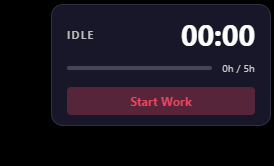
First, we built a Pomodoro Timer app to track work hours and to provide a clear daily target.
It has a main window showing a quick visual summary of hours worked, plus an overlay that stays pinned to the top-right corner of the screen.
As you can see below, we got distracted for a few days this week, but thanks to the Pomodoro Timer, we were forced to reflect on our time management. Next week should be better.

Second, we decided to start writing weekly updates in a local gamedev Discord group. Having a weekly review would force us to reflect on progress and think about what could be done better.
But then we realized: if we're going to write dev logs, why not make them public?
Pictoria will be released in phases, so it makes sense to have a public record of where we are. That way, users can be confident we're actively working on promised features.
In the end, we decided to clean up this site (which hadn't been touched in a year) and add the devlog section you're reading now.
Hopefully this habit of weekly updates will improve our productivity and help us stay accountable.
The Chat Feature
On to what we're working on.
We're currently in the middle of a multi-month feature: chat. This includes chat bubbles that appear above players' heads when they speak, as well as dedicated chat user interfaces.
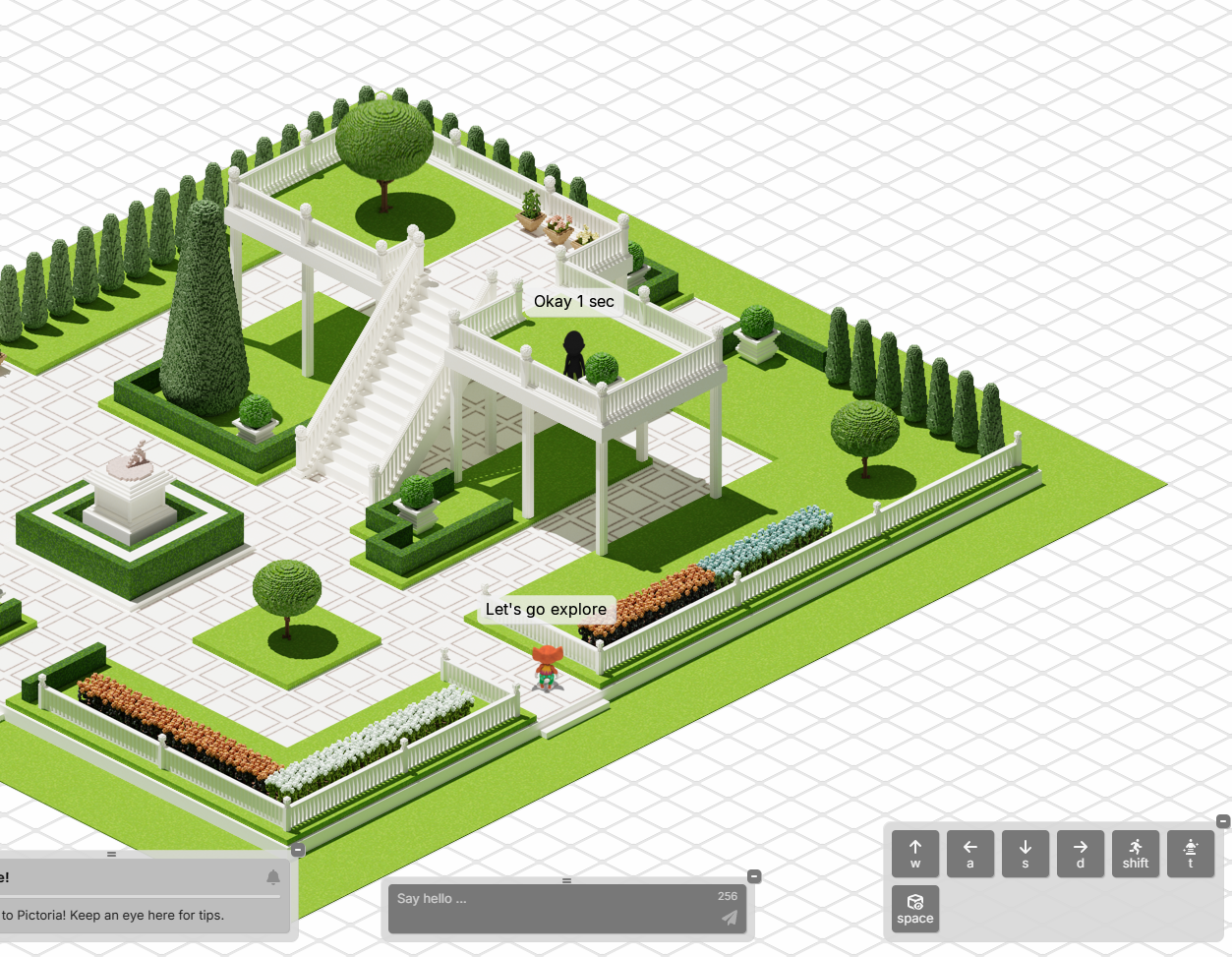
This Week: Proximity Chat Window
This week, we focused specifically on the proximity chat window, one of the planned chat user interfaces. Here's what we accomplished:
Window System
We finished implementing a general window system for Pictoria. These are in-page (browser page) windows that can be dragged, resized and closed. The implementation handles:
- Dragging from the title bar area
- Resizing from edges and corners
- Staying within browser viewport bounds
- Open/close animations with fade transitions
This was a necessary foundation for the proximity chat window.
Storage Layer
We handled storage of chat messages.
On the client, all messages in close proximity are stored using IndexedDB. These are what the proximity chat window displays.
On the backend, each player's messages are persisted in Azure Table Storage with efficient querying by time range. We're persisting these messages for moderation through the admin chat window, which we'll be working on next week.
To facilitate reading chat messages from Azure Table Storage, we also implemented SAS (Shared Access Signature) token generation, which will allow admin accounts to access messages directly from Azure, bypassing the application server.
Proximity Chat Window
We built the proximity chat window UI:
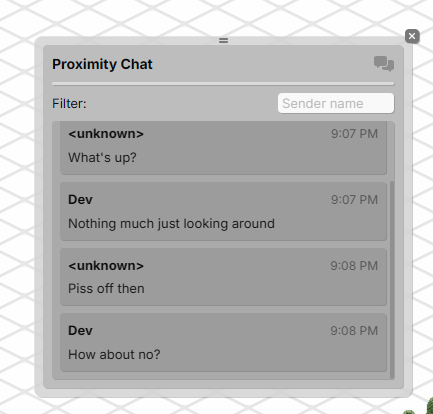
The window includes:
- Integration with locally stored messages
- Infinite scroll for loading message history
- Real-time display of newly received messages
Other Improvements
While working on proximity chat, we also made several related improvements:
- Pointer event handling: Converted scene component pointer events to use
setPointerCaptureinstead of pointer leave, improving reliability when dragging outside the browser window - Chat message positioning: Fixed chat bubbles not moving correctly with the player during teleport-to-edge actions
- Message handling: Improved handling of chat messages when the sending player is unloaded from view
What's Next
We're continuing to polish the proximity chat experience. For instance, player names don't load properly in the proximity chat window yet.
Thereafter, we'll be moving on to the admin chat window, which will allow moderators to view and manage chat messages across the entire world.
The chat system is coming along, and we're excited to share more progress next week.